Tone Mapping
Tone mapping is an essential post-processing technique that naturally maps the wide brightness range of High Dynamic Range (HDR) images into the limited representation range of standard display devices (LDR). It determines the ultimate visual quality of your rendering by coordinating the scene's exposure, contrast, and overall color palette.
1. Operating Principle: Smart Tone Mapping Transition
In RedGPU, tone mapping does not execute at a fixed position like simply at the beginning or the end of the pipeline. Instead, the PostEffectManager dynamically controls the timing internally to facilitate smooth transitions between efficient HDR calculations and LDR post-processing.
- HDR Retention: Immediately after scene rendering, effects that demand precise depth information and a wide color gamut—such as
SkyAtmosphere,SSAO, andSSR—are calculated on the HDR source data prior to tone mapping. - Smart Transition Timing: The engine iterates through the user general effects loop registered via
view.postEffectManager.addEffect(). As soon as it encounters the first LDR (Low Dynamic Range) effect, it immediately performs tone mapping. - Default Fallback: If no LDR effects are registered in the general effect chain, tone mapping is automatically applied at the very last step of the pipeline loop.
2. ToneMappingManager Settings
All tone mapping parameters can be dynamically adjusted using the properties of view.toneMappingManager. This manager is built-in upon the creation of a View3D instance, eliminating the need to instantiate it manually.
2.1 Property Reference
| Property Name | Default Value | Range | Description |
|---|---|---|---|
mode | KHRONOS_PBR_NEUTRAL | - | The tone mapping algorithm type (RedGPU.ToneMapping.TONE_MAPPING_MODE). |
contrast | 1.0 | 0.0 to 2.0 | Contrast intensity. |
brightness | 0.0 | -1.0 to 1.0 | Additional brightness correction for shadow/highlight areas. |
// Fine-tune contrast and brightness to emphasize visual impact
const tm = view.toneMappingManager;
tm.contrast = 1.05;
tm.brightness = 0.02;
3. Supported Algorithms (TONE_MAPPING_MODE)
You can change the tone mapping mode in real-time depending on your target visual style. Constants are declared under the RedGPU.ToneMapping.TONE_MAPPING_MODE namespace.
// Apply ACES Filmic algorithm for a cinematic atmosphere
view.toneMappingManager.mode = RedGPU.ToneMapping.TONE_MAPPING_MODE.ACES_FILMIC_HILL;| Mode Constant | Description | Comparison Image |
|---|---|---|
LINEAR | Outputs straight to the device range without any correction. Highlights and shadow details may suffer significant clipping. | 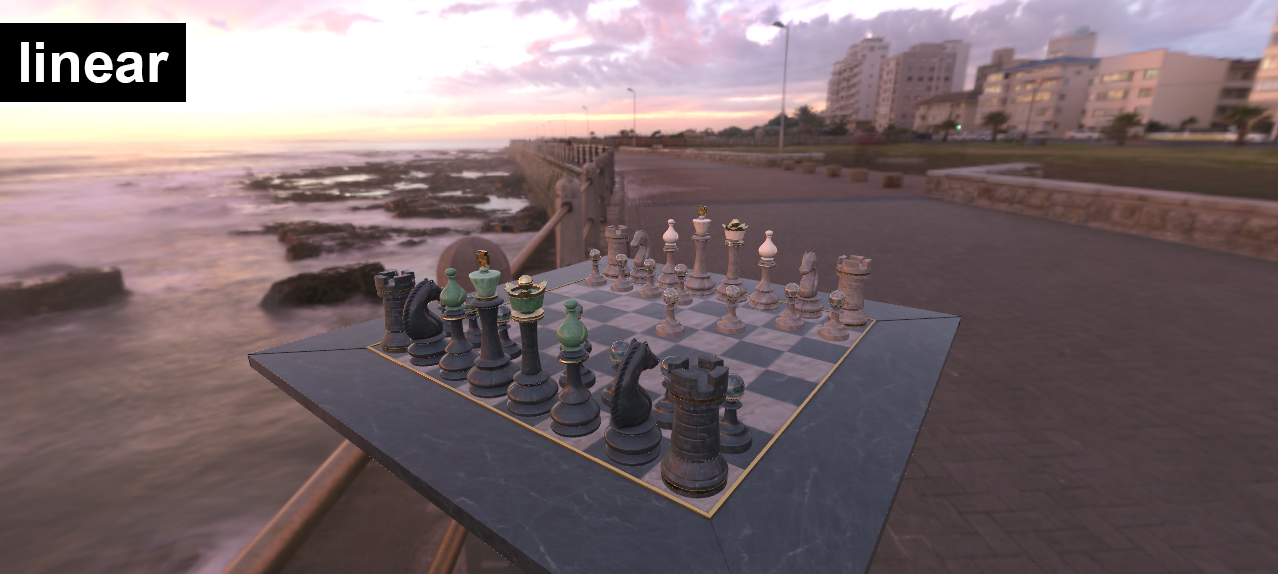 |
KHRONOS_PBR_NEUTRAL | Standard algorithm designed to preserve color fidelity for physically-based rendering (PBR) (Default) | 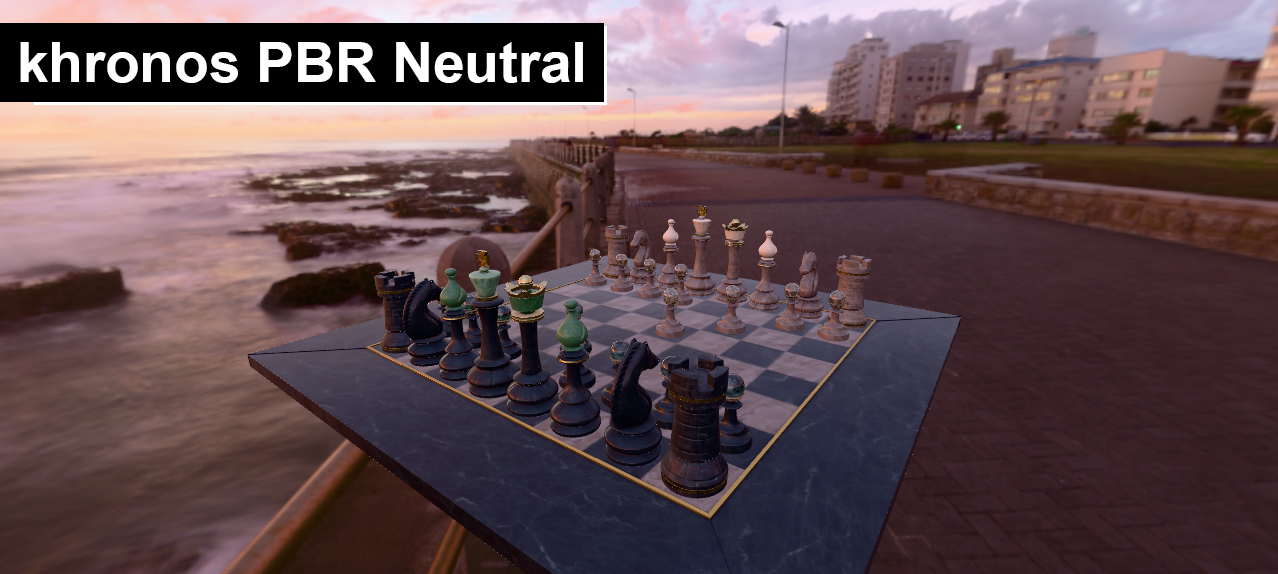 |
ACES_FILMIC_HILL | Hill-approximation version of the ACES algorithm, a cinematic movie industry standard creating high contrast. | 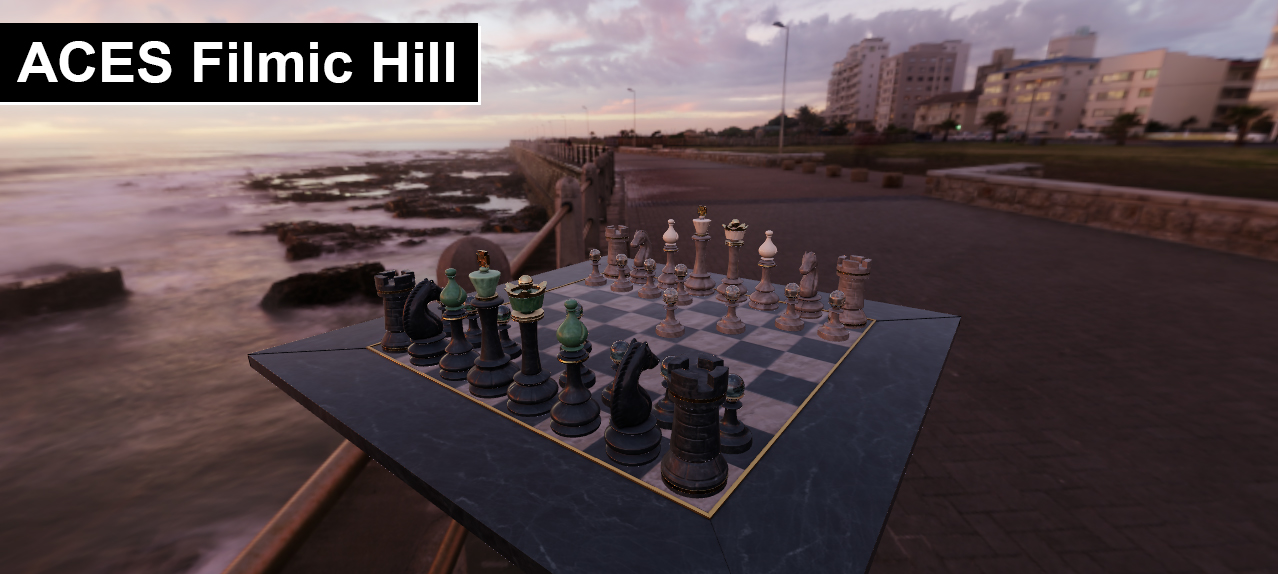 |
ACES_FILMIC_NARKOWICZ | Narkowicz-approximation version of the ACES algorithm creating dramatic contrast. | 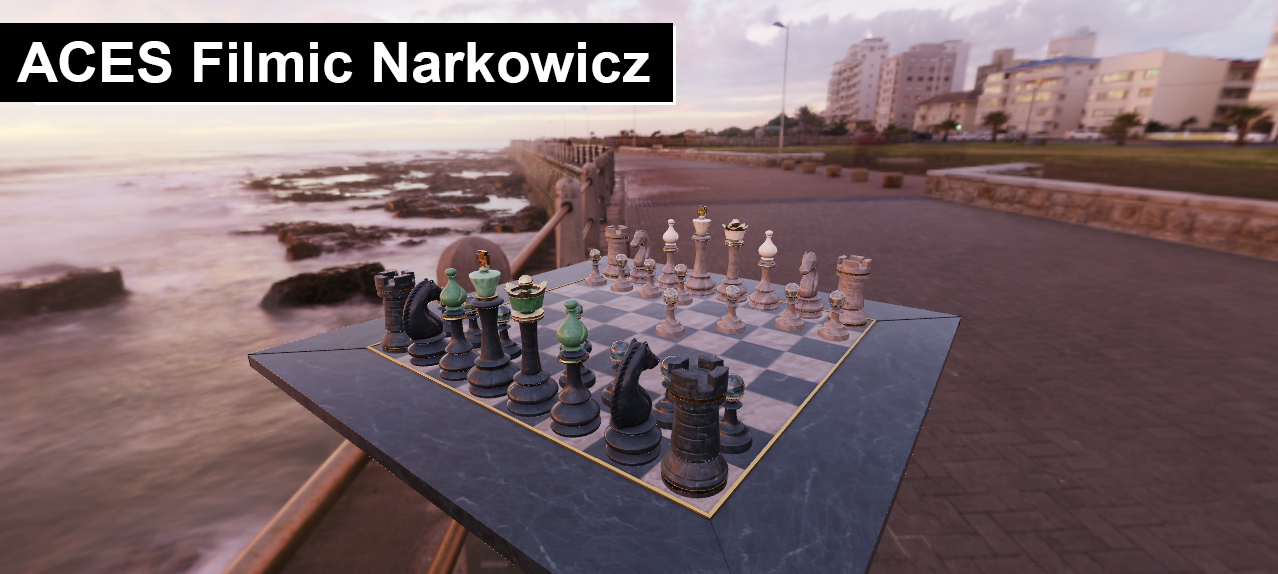 |
4. Key Summary
- Tone mapping settings are supervised by the
ToneMappingManager, while execution and transition scheduling are optimized automatically by thePostEffectManager. - It splits dynamically during the effect chain execution to preserve high-fidelity HDR operations (SSAO, SSR).
KHRONOS_PBR_NEUTRALis recommended for scenes where physical correctness is paramount, whereas theACES_FILMIC_suite is ideal for artistic, cinematic rendering.
5. Next Learning Recommendation
- Built-in Effects: Activating SSAO and real-time SSR for physical depth.
- General Effects: Adding bloom, blur, and grayscale before or after tone mapping.